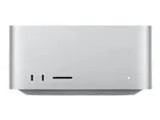
You can clear a persistent AppleCare notification badge by starting the purchase flow to dismiss the prompt explicitly.
How to Clear the Notification
- Open System Settings or Settings app where the notification badge appears.
- Click or tap on "Add Coverage" as if you intend to buy the plan.
- Select "Not Now" on the subsequent screen.
- Choose "Don't show me again" when prompted to make the notification badge go away.
- Repeat this entire process for each individual device or eligible product listed on your account if the alert spans multiple gadgets
Because AppleCare One can be applied to many devices, you may need to dismiss the notification on more than just your Mac. For example, these are just some of the devices on my list, and many of them are eligible for coverage:

Of course, the reason for the prompt is that Apple wants your $$ via AppleCare One or the new AppleCare One Family (which I might actually enroll in):
Get AppleCare One for your Family Sharing group - Apple Support